

Fix the "Access Denied" Error on a Child Account
2 min read
On this page
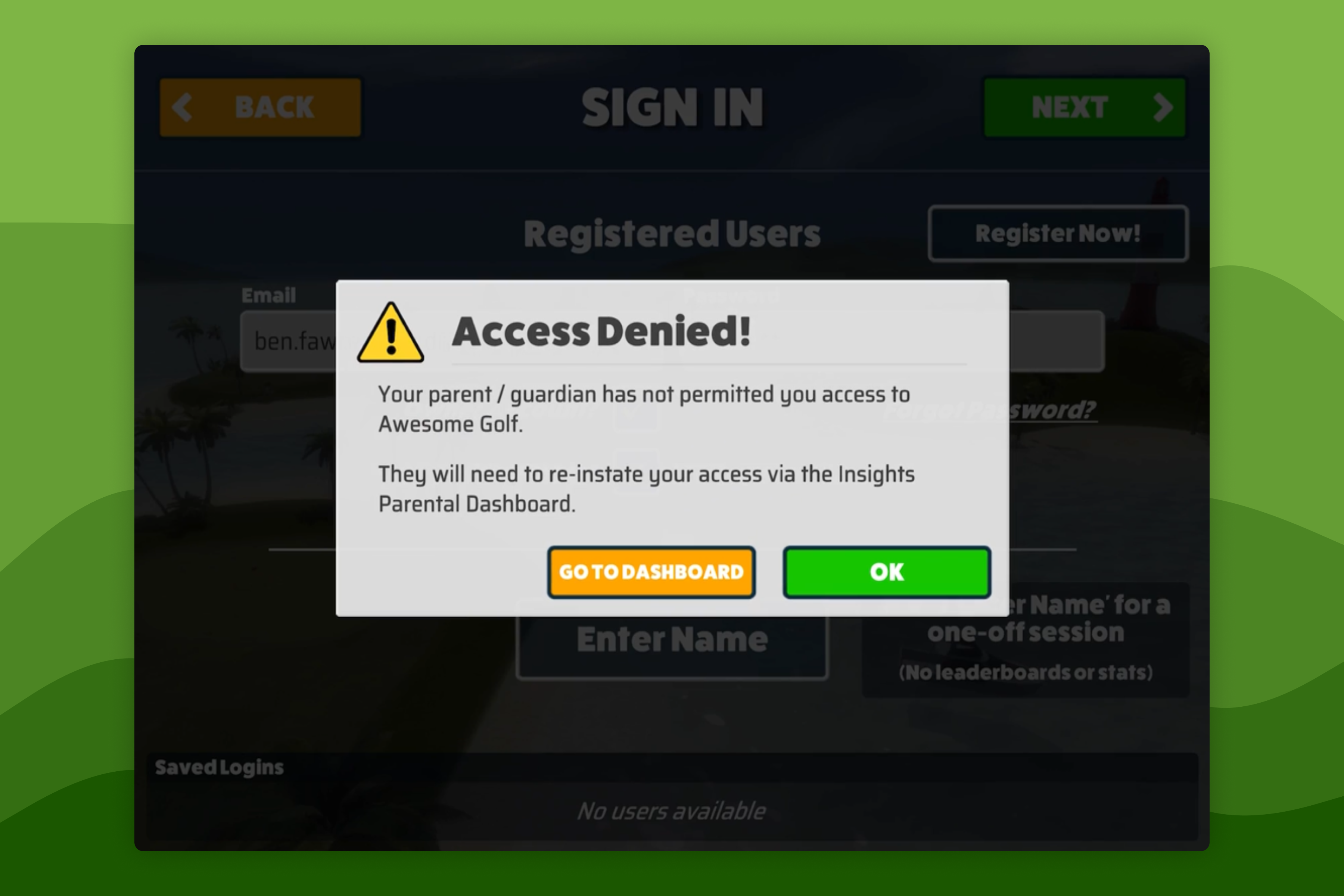
- Why does my child see an Access Denied message when logging in to Awesome Golf?
The Access Denied message appears when a child's Awesome Golf account has had parental consent revoked. The account is suspended until a parent or guardian reinstates access from Awesome Golf Insights.
While suspended, the child can still use Awesome Golf as a one-off guest session
- no statistics or leaderboard entries will be recorded during guest play.
- no personal information will be recorded.
Reinstate access
Access can be reinstated at any time within 30 days of revocation:
Go to insights.awesome-golf.com/settings/parents and sign in as the parent or guardian.
Alternatively, once you have signed in to Awesome Golf Insights, select Your Name in the top-right corner, then select Parental Settings.
Under the Children section, find the child's account. Select Give Consent next to the child's account.
The child can now log in to Awesome Golf as normal.
Important: If 30 days pass without reinstating access, the child's account and all associated data will be permanently deleted and cannot be recovered.
Account permanently deleted
If more than 30 days have passed since revocation, the child's account and all associated data will have been permanently deleted. The child will need to create a new account and go through the parental consent process again.
Help & feedback
- View Pricing to see purchase options.
- Try Awesome Golf Simulator with a 14-day free trial, no-commitment.
- Looking for something specific? Search our docs to find what you're looking for.
- If you want help with something specific and could use community support, post in the Awesome Golf Facebook Group.
- Need direct support? Open a Support Request.
- Or Scroll to Top.