

How to Upgrade Your Awesome Golf Subscription to a Lifetime License
3 min read
If you already have a monthly or annual subscription to Awesome Golf Simulator, you can upgrade to a perpetual lifetime license for a reduced price, to take into account some of the money that you have already spent on the software so far. The lifetime license upgrade is a one-off payment to move from a subscription to a perpetual license, including all future feature releases, updates, and courses.
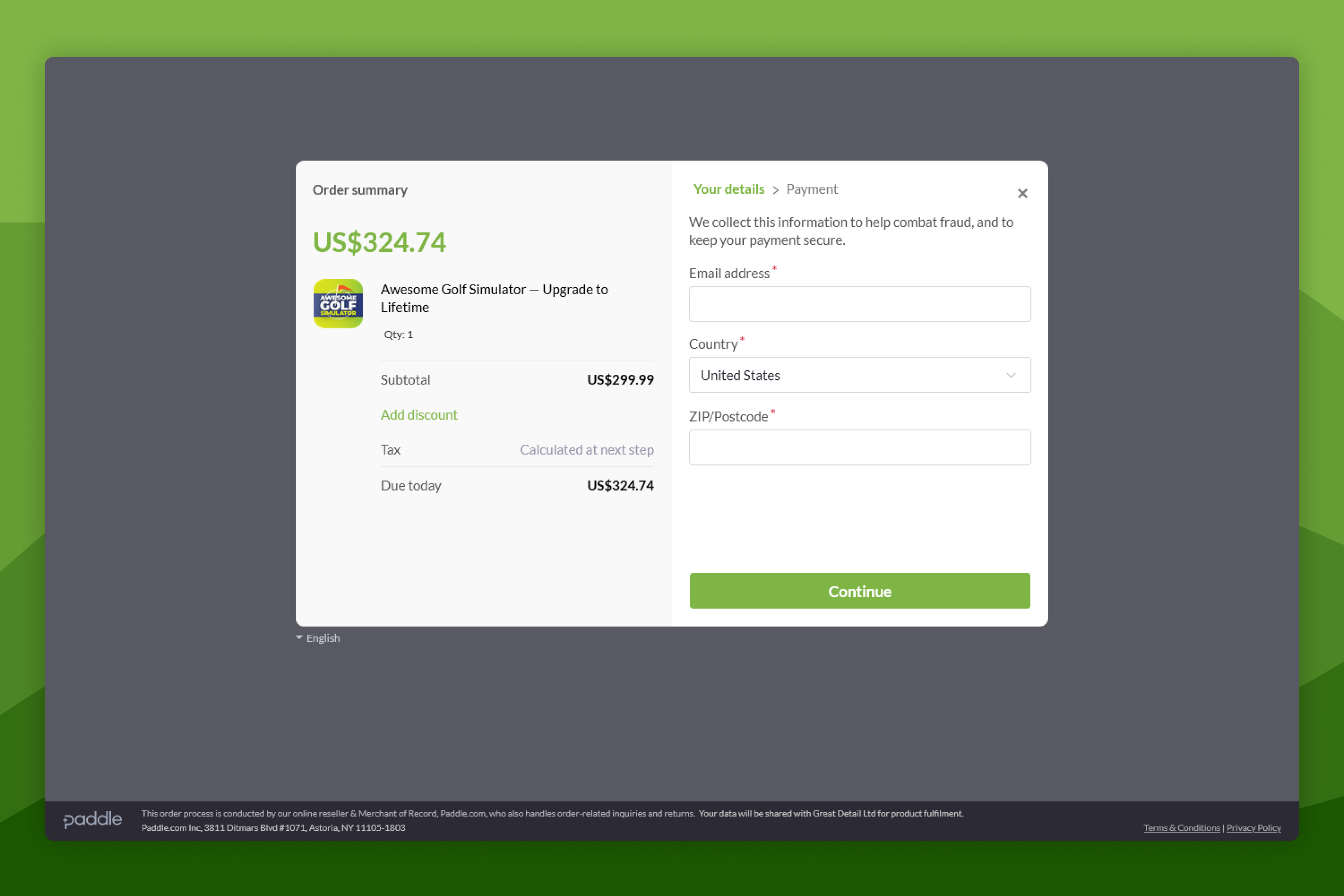
To purchase a lifetime license upgrade, go to insights.awesome-golf.com/api/public/upgrade-to-lifetime.
Region Lifetime Upgrade Fee US (USD) $299.99 Canada (CAD) $399.99 UK (GBP) £299.99 EU (EUR) €349.99 Australia (AUD) $499.99 Prices listed include Sales Tax, excluding prices in USD and CAD. Currency conversation rates are decided by Apple.
Enter your Awesome Golf Account email address in the Email address field on the checkout page.
If the email address used during payment does not match your account's email address your license may not update automatically.
To check and confirm your account's email address in Awesome Golf Simulator, if you're already signed-in, select your name at the bottom of the Main Menu screen, select Edit Player, then select Edit Email. Your email will be displayed on-screen.
Continue through the checkout payment steps to complete the purchase.
Once the order has been processed by our payment processor, you will receive two emails: The first email will be from our payment processor, Paddle, with a receipt of your payment; The second email will be from Awesome Golf with a confirmation message as well as instructions on how to cancel any current active subscriptions that you already hold.
Cancel your existing active subscription by following our subscription cancellation guide - this process depends on your subscription platform, e.g. Apple App Store, or Google Play Store.
Please note that cancelling your monthly or annual subscription will not affect your new lifetime license.
Your subscription will be allocated to the launch monitor associated with the same email address used to make the payment. If the email address used during payment does not match your user email address and the lifetime subscription has not been allocated to your launch monitor within an hour of the processed payment, please contact our support team.
Please note that as Awesome Golf Simulator subscriptions are paired to launch monitors, rather than user accounts, only the launch monitor with the current active monthly or annual subscription will be upgraded. If you wish to transfer your subscription to a different launch monitor, please follow the instructions on this page: insights.awesome-golf.com/docs/guides/licenses/how-to-transfer-launch-monitor-license
Lifetime license upgrades can only be purchased through our web checkout and, once purchased, your account will be automatically upgraded to a lifetime license.
Only users with an active (or expired), monthly, legacy, or annual subscription are eligible to upgrade to a lifetime subscription. Please note that payments that users have already made for their subscriptions to Awesome Golf Simulator are not available as credit towards a lifetime upgrade or lifetime subscription. The lifetime upgrade includes a discount to take this into account. The price is the same for upgrades from monthly and annual subscriptions.
Help & feedback
- View Pricing to see purchase options.
- Try Awesome Golf Simulator with a 14-day free trial, no-commitment.
- Looking for something specific? Search our docs to find what you're looking for.
- If you want help with something specific and could use community support, post in the Awesome Golf Facebook Group.
- Need direct support? Open a Support Request.
- Or Scroll to Top.